Small Store Operations
How to Set Up a POS System for a Small Store Without Creating a Mess
A practical POS setup plan for products, stock, payment methods, users, customers, receipts, cash closing, backup, and a safe first week.
A new point-of-sale system creates a tempting project: register every product, every customer, every supplier, every possible discount, and several categories nobody will remember by Friday.
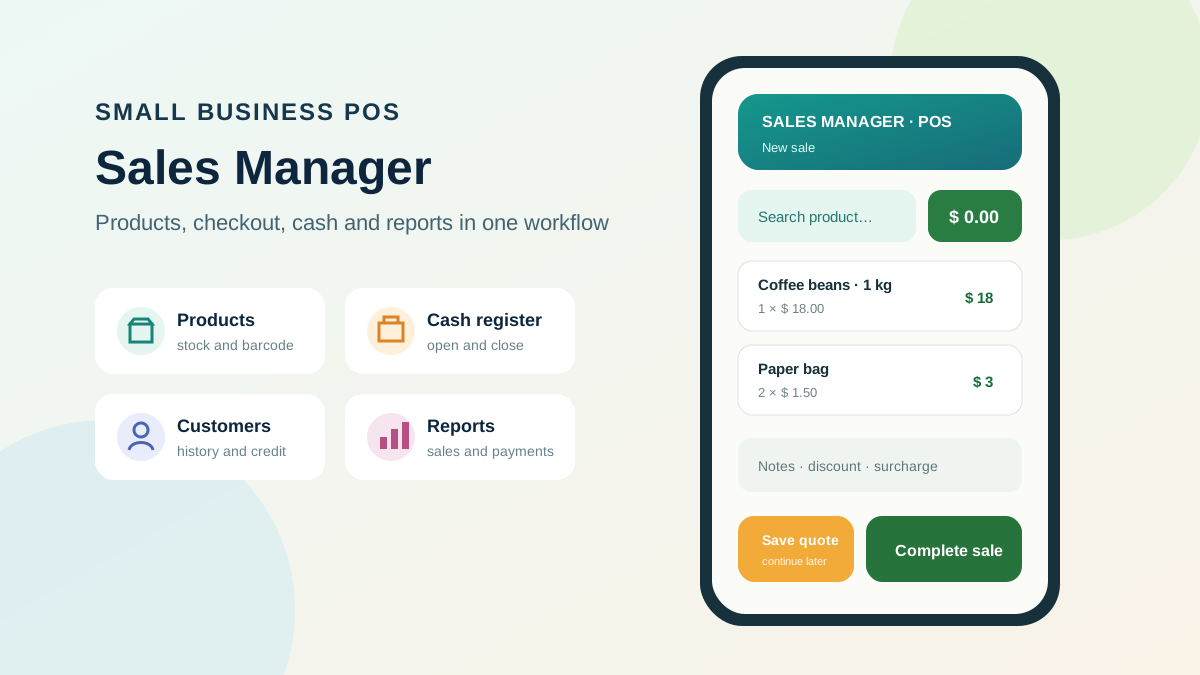
A better first version handles one ordinary sale correctly and leaves a record that helps close the day. This guide uses Sales Manager POS as one example because it brings products, checkout, cash, customers, receivables, and reports into the same Android app.
Product relationship: Sales Manager POS and Software Scout share the same owner. This setup guide uses the app as a documented example and links to Google Play. The operational checklist also applies to other POS systems.
Start with one sentence about the job
Write the job before touching settings:
“A staff member must find a product, record the correct payment, update stock, and give the owner a reliable closing report.”
Add a second sentence only if credit sales matter:
“When a customer pays later, the sale must create a receivable with an owner and due date.”
These statements make setup decisions easier. A field, category, or integration belongs in the first version when it helps complete or verify those jobs.
1. Assign ownership and access
Name one person responsible for product data and one for the daily cash close. Decide who can change prices, apply discounts, cancel sales, adjust stock, view customer data, and manage backups.
Use separate accounts where the app and plan support them. Shared credentials make it difficult to understand changes and remove access when someone leaves. Protect the main account and recovery email with an appropriate authentication method.
Create a short access table:
| Role | Can sell | Can discount | Can change products | Can close cash | Can manage data |
|---|---|---|---|---|---|
| Owner | Define | Define | Define | Define | Define |
| Cashier | Define | Define | Usually limited | Define | Usually no |
| Stock manager | Define | Define | Define | Usually no | Limited |
The table is a discussion tool. Confirm the controls actually available in the current app before promising a permission model to staff.
2. Configure payment methods first
Create only payment methods the store accepts and can reconcile: cash, specific card types when useful, instant payment, credit, or another local method.
Avoid near-duplicates such as “card,” “credit card,” and “credit” unless they mean clearly different things. The closing report can only group payments as consistently as staff record them.
Run one fictional sale for each method. Confirm how mixed payments, change, installments, fees, and cancellations appear. If a payment processor settles a different amount after fees, decide where that difference is reconciled.
3. Build a 15-item pilot catalog
Choose products that expose differences:
- Five normal units with barcodes.
- Two products without barcodes.
- Two products sold by weight or another unit.
- One item currently out of stock.
- One product with a commonly used discount.
- One service or non-stock item, if the business sells it.
- Three items from different categories or suppliers.
For each, enter a consistent name, code or SKU, barcode where applicable, selling price, unit, category, supplier, and opening stock. Establish who may change each value.
Then use the Sales Manager POS listing or the current app version to search by name, code, and barcode. Check long names and similar products on the actual phone or tablet used at the counter.
4. Decide when a customer record is necessary
Do not turn every walk-in buyer into a form. Define the cases that need identification: delivery, quotation, credit, warranty, ongoing service, or a customer-requested receipt.
Collect the minimum information needed for that purpose. Tell staff what belongs in notes and what should never be entered there. Confirm correction and deletion procedures before importing an existing customer list.
Sales Manager POS describes customer registration and purchase history. Test a fictional customer from creation through sale and later lookup. Confirm who can view those records and review the privacy policy before using live details.
5. Rehearse an opening and closing shift
Start the test register with a known amount. Record:
- A cash sale.
- A card or digital-payment sale.
- A small documented cash outflow.
- A discounted sale.
- A credit sale, if used.
- One correction or cancellation.
Count the fictional drawer, close the register, and compare every difference with the test transactions. Do not hide a difference by inventing a movement after the fact. Learn how the system expects corrections to be recorded.
Use the cash register closing checklist during this rehearsal. The person who will close on a busy day should run the test, not only the person configuring the app.
6. Test receivables as a full process
If the store allows customers to pay later, define approval, due date, collection, and write-off rules before enabling routine credit sales.
Create a fictional credit transaction and check that the amount appears in receivables. Find it by customer and due date. Record the test payment and inspect the history and reports. If partial payments or installments are needed, confirm their exact behavior.
A receivable without a named person checking it is just a delayed surprise. Put the overdue review on a calendar and define how customers will be contacted lawfully and respectfully.
7. Configure receipt and printer behavior
Test the actual printer, paper, connection, and counter position. A preview on the phone does not establish that printing will work during a queue.
Verify business identification, items, quantities, discounts, payment method, totals, and any legally required information. Technical receipt printing does not by itself satisfy tax or fiscal obligations; confirm local requirements with a qualified professional.
Keep a fallback for a temporary printer or connection failure and tell staff when to use it.
8. Decide how backup and recovery work
The menu screenshots include a backup area, but a button alone is not a recovery plan. Identify what is backed up, where the copy goes, who can access it, how long it remains, and how restoration is tested.
Use fictional data for the first exercise. Export or back up the pilot catalog, document the steps, and find the recovery method. Ask the developer which current features transmit data off the device and how cloud storage works when applicable.
Keep device-loss and staff-access scenarios in the plan. A protected external copy can help only when an authorized person knows how to retrieve and use it.
9. Run a controlled first week
Choose a quiet period and limit the first live rollout to trained staff. Keep the old reference process available long enough to verify totals, without maintaining two conflicting sources indefinitely.
At the end of each day, record:
- Sales count and total by payment method.
- Cash difference and explanation.
- Failed product searches or duplicate products.
- Incorrect stock movements.
- Receipt or printer failures.
- Staff questions and workarounds.
Fix the source of repeat errors. If everyone uses the wrong payment method, the label or training may be unclear. If products cannot be found, naming and barcode data may need cleanup.
A launch checklist you can copy
- Owner and backup administrator assigned.
- Payment methods tested.
- Fifteen representative products verified.
- Customer-data rules documented.
- Cash opening and closing rehearsed.
- Credit sale and receivable checked.
- Receipt printed on real equipment.
- Backup created and recovery route documented.
- Staff trained with fictional transactions.
- First-week review scheduled.
Start with a trustworthy daily loop. The rest of the catalog and team can follow once the pilot shows that sale, stock, payment, and closing agree.
Read our transparent Sales Manager POS product profile for features, fit, limitations, and data questions before using live business records.