Inventory Operations
Inventory Control for Small Business: A Practical Daily System
Build a simple inventory-control routine for product registration, opening stock, sales, adjustments, counts, reorder decisions, and reliable reports.
Inventory control does not begin with a sophisticated dashboard. It begins when the quantity shown for one product can be trusted. For a small business, that means recording what arrived, what sold, what was returned, what was lost, and what was corrected without hiding the reason.
The Sebrae inventory-control guidance recommends organizing merchandise by type and maintaining control over stock movements. The routine below turns that principle into daily work and uses Gestor de Vendas PDV Completo as one documented example.
Product relationship: Gestor de Vendas PDV Completo and Software Scout have the same owner. Screenshots illustrate the workflow, while the inventory method can be applied to another suitable system. Confirm current features, data practices, limits, and support before adoption.
Start with a product record people can identify
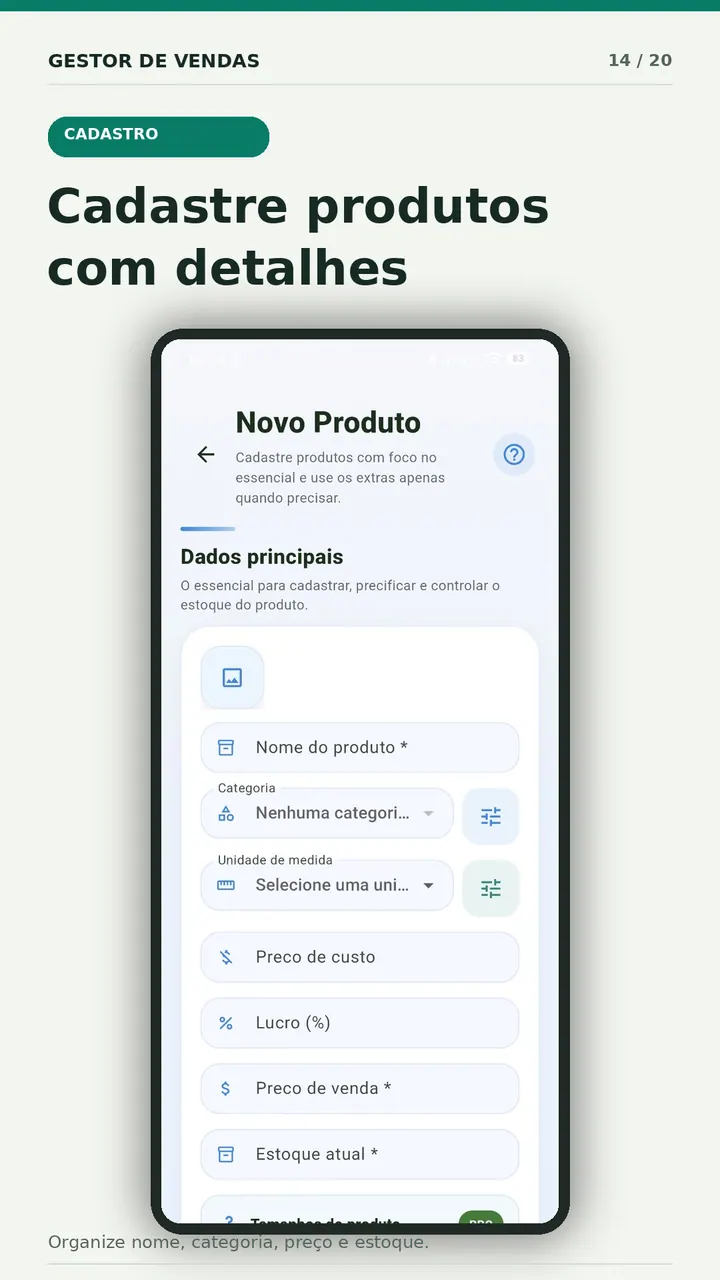
Every item needs a stable identity. A useful minimum record contains:
- a clear product name;
- an internal code or SKU when used;
- barcode when it is part of the real workflow;
- sales unit;
- category;
- cost and selling price;
- opening quantity;
- supplier or purchasing reference when needed.
Avoid names that depend on memory, such as “blue model,” “new package,” or “the large one.” Include the detail that distinguishes the item at the moment of sale: size, volume, color, flavor, or model.
Separate physical count from system quantity
The system quantity is what the records predict. The physical count is what is actually on the shelf, in storage, at the counter, or reserved for an order. They should agree, but one must not be silently changed to resemble the other.
When there is a difference, investigate recent sales, returns, damaged items, transfers, duplicate product records, and unrecorded receipts. Then make an authorized adjustment with a date, quantity, reason, and responsible person.
Use one rule for every stock movement
Create a short movement vocabulary:
| Movement | When to use it | Evidence to retain |
|---|---|---|
| Purchase receipt | Goods arrived from a supplier | Invoice, order, or receiving note |
| Sale | Customer completed a purchase | Sales record and payment |
| Customer return | Sold item returned to the business | Original sale and return condition |
| Supplier return | Item sent back to supplier | Supplier document or authorization |
| Loss or damage | Product cannot be sold | Reason, quantity, and approval |
| Count adjustment | Physical count differs from records | Count sheet and investigation note |
| Transfer | Item moved between locations | Origin, destination, date, and quantity |
The rule is simple: if the shelf changes, the system needs a movement that explains why.
Connect the sale to the product record
A POS reduces manual work when each completed sale updates the corresponding product quantity. Test that connection with a sample item:
- Record an opening stock of 10 units.
- Complete a sale of two units.
- Confirm that eight units remain.
- Cancel or return one unit through the documented workflow.
- Confirm the new quantity and the movement history.
Do not correct the final number manually during this test. The purpose is to see whether the transaction path creates an understandable record.

Count high-risk products more often
An annual count is too late to explain many differences. Use cycle counts: count a manageable group on a schedule while the business continues operating.
- Daily: expensive, fast-moving, or frequently missing items.
- Weekly: important categories and items near reorder level.
- Monthly: the remaining catalog, slow stock, and discontinued items.
Record the expected quantity before the count, the physical quantity, the difference, the likely cause, and the approved adjustment. Over time, recurring differences reveal training problems, confusing units, weak receiving routines, or product names that lead to the wrong selection.
Decide when to reorder
A reorder point should reflect demand and delivery time rather than a round number chosen once. A basic starting formula is:
Reorder point = average daily sales × supplier lead time + safety stock
Suppose a shop sells three units a day, the supplier takes five days, and the owner wants six units of safety stock. The starting reorder point is 21 units. This is an operational estimate, not a guarantee. Review seasonality, minimum supplier orders, cash available, shelf life, and promotional demand.
Measure useful inventory signals
Start with questions that lead to action:
- Which products reached zero stock while customers still wanted them?
- Which products have not sold during the review period?
- Which items show repeated negative or positive adjustments?
- How much cash is tied up in slow stock?
- Which suppliers or categories generate the most receiving errors?
- Are margins based on current cost or an old value?
A report is useful when someone owns the next action: reorder, recount, correct a record, review a price, return goods, or stop buying an item.
Where Gestor de Vendas PDV Completo fits
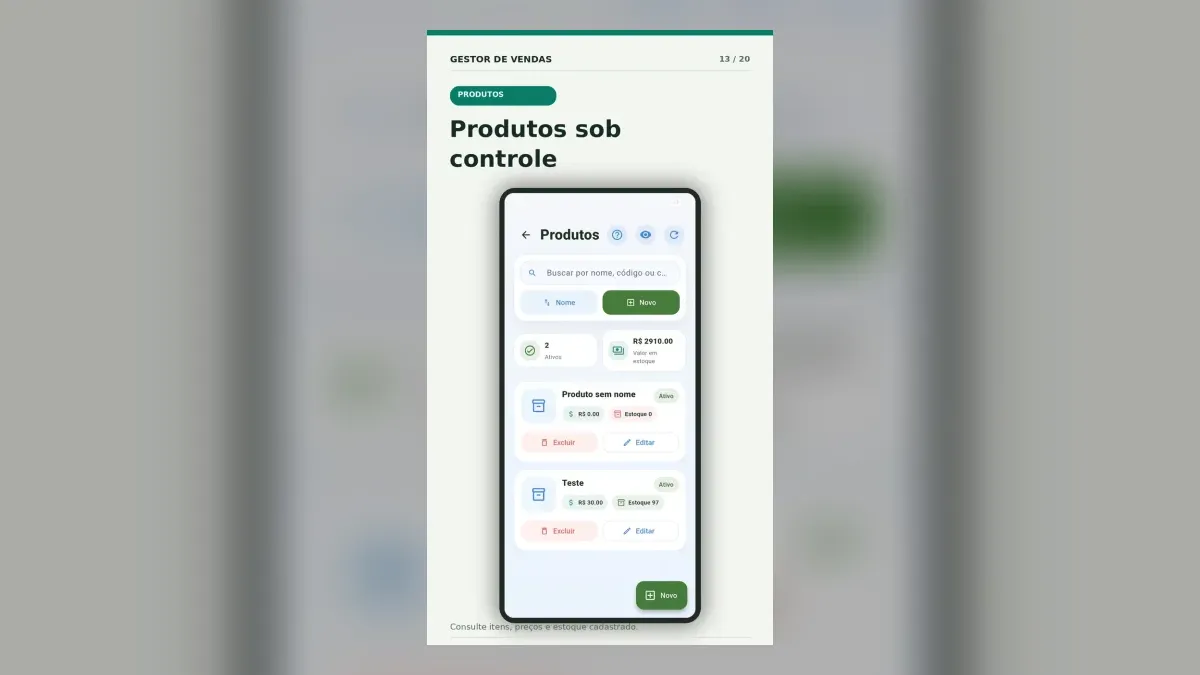
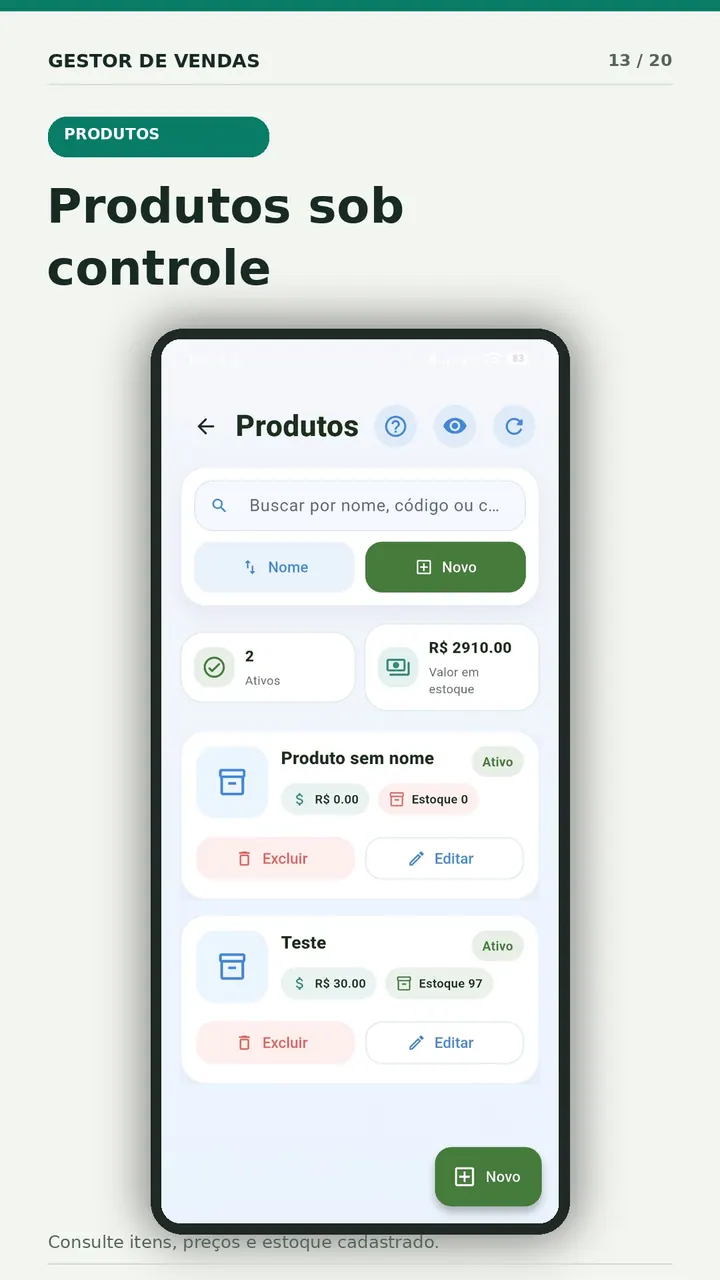
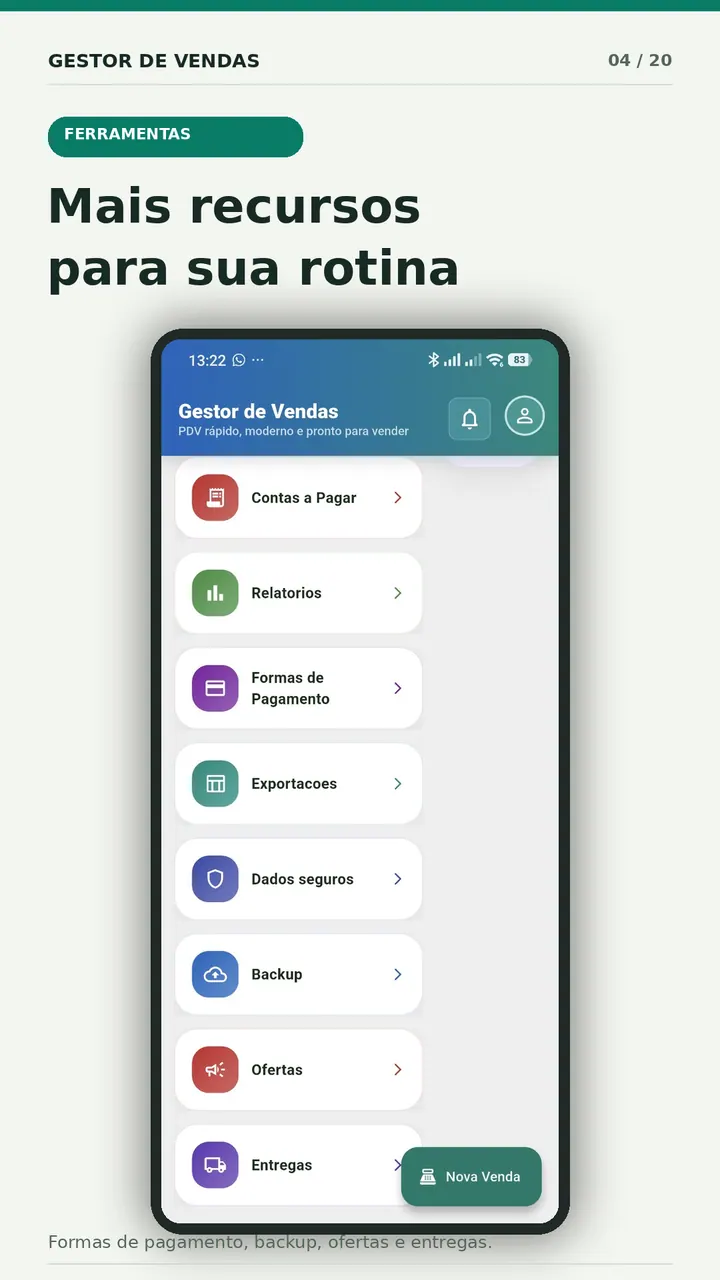
The app provides product registration with categories, units, prices, barcode-related fields, stock quantity, product search, sales, history, reports, and backup-related options. Test the current Android version with a small catalog before importing live records.
Test inventory with sample products first.Install the app, register 15 representative items, complete test sales, and compare the resulting quantities with a physical count.Download Gestor de Vendas on Google Play
A weekly inventory routine
Monday: review zero-stock and low-stock products. Assign purchase decisions.
During receiving: compare delivered goods with the order, inspect condition, and record quantities before items reach the shelf.
During every sale: select the correct product and unit. Avoid generic items when a real stock record is expected.
Friday: count the high-risk group, investigate differences, and approve adjustments.
Month end: review slow products, stock value, repeat differences, obsolete records, and access permissions.
Common mistakes that make stock unreliable
- Creating a new product because the existing one was difficult to find.
- Selling a pack as one unit while receiving and counting individual pieces.
- Editing the quantity without recording the reason.
- Recording purchases only when the supplier is paid.
- Treating damaged goods as if they disappeared.
- Allowing every user to delete or change products without review.
- Trusting a total stock value before checking cost dates and negative quantities.
Reliable inventory is built from small, boring habits. A clean product record, a recorded reason for every movement, and frequent counts are more valuable than a beautiful report fed by guesses.
Frequently asked questions
Can a small business control inventory only by phone?
It can when the catalog, transaction volume, devices, access controls, backup, and reporting needs fit the app. Test receiving, selling, counting, correcting, and restoring data before depending on it.
How many products should the first setup include?
Use about 15 representative items for a pilot. Include the difficult cases. Expand only after the team can search, sell, correct, and count them consistently.
Is stock quantity the same as stock value?
No. Quantity counts units. Value depends on the costing method and accurate cost data. Ask an accounting professional how inventory should be valued for financial and tax purposes.